
€101.90
Available · 7 piece · 1-3 days
€101.90*
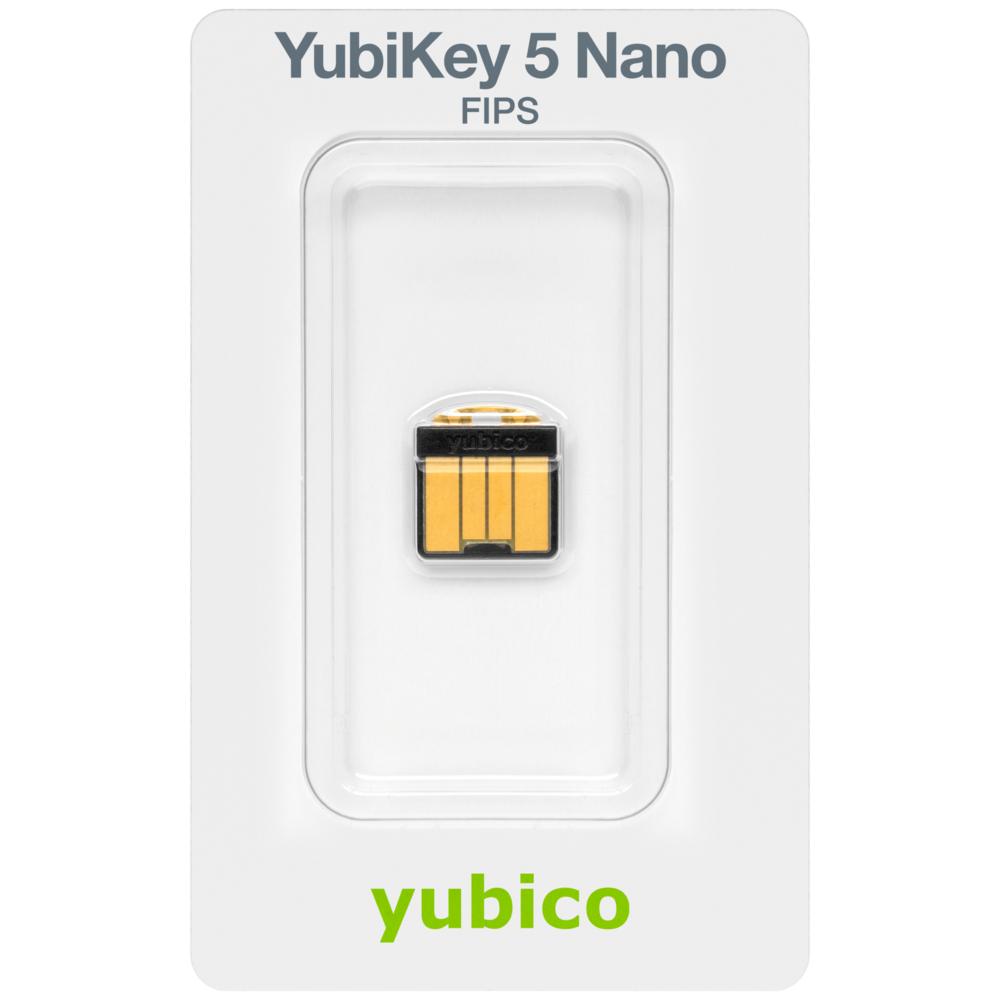
Product information "Yubico YubiKey 5 Nano FIPS"
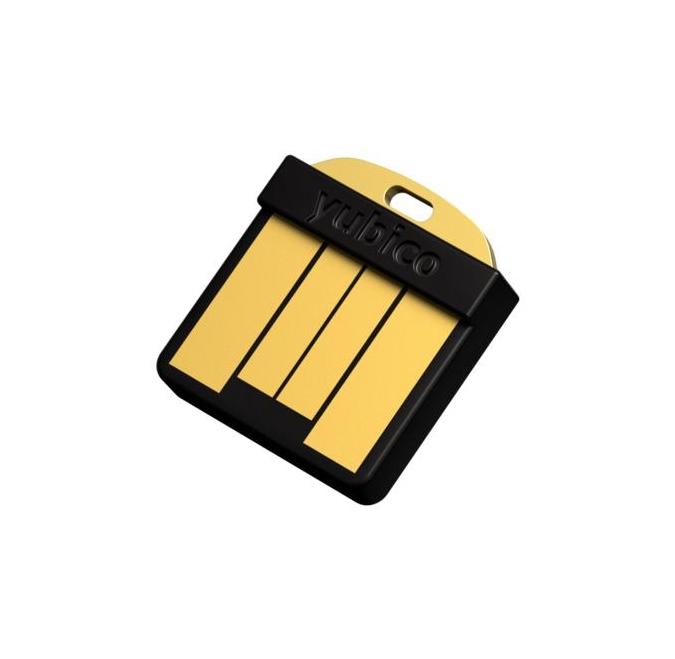
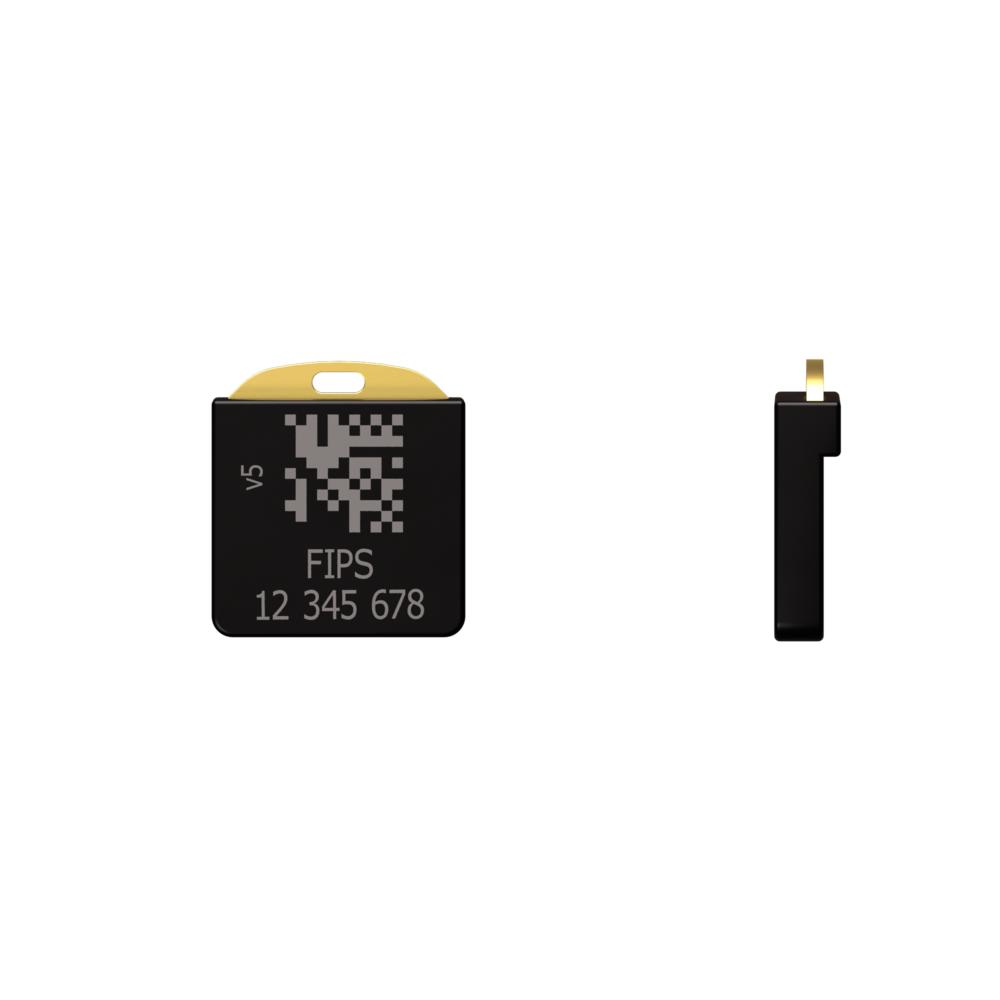
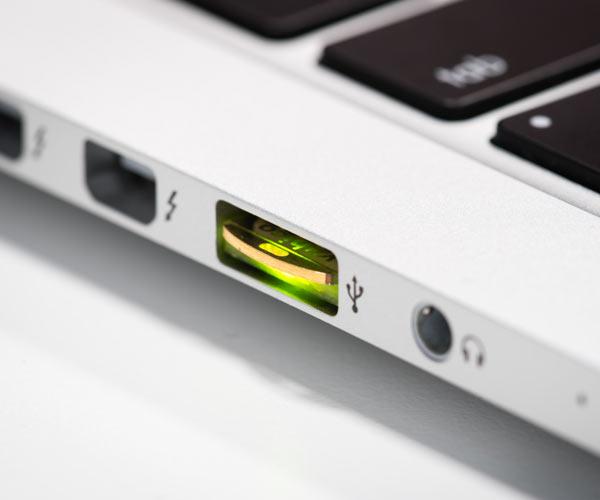
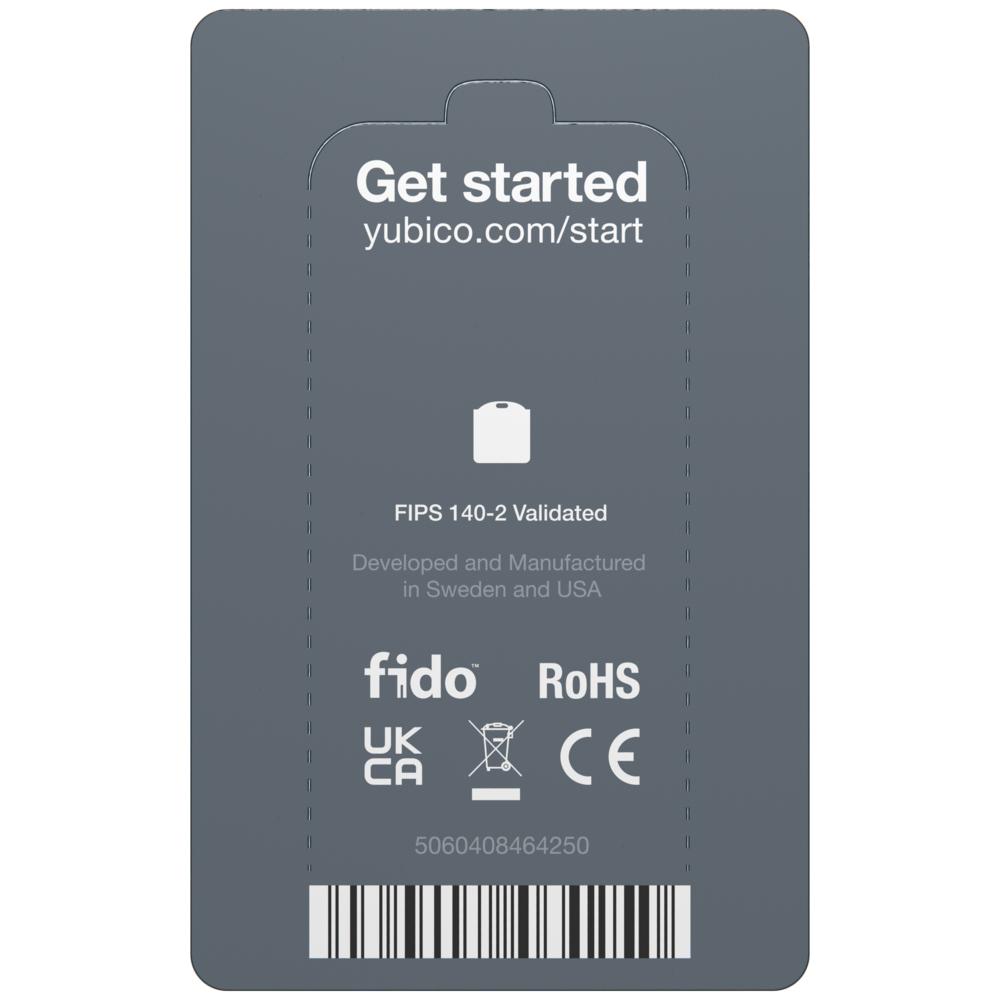
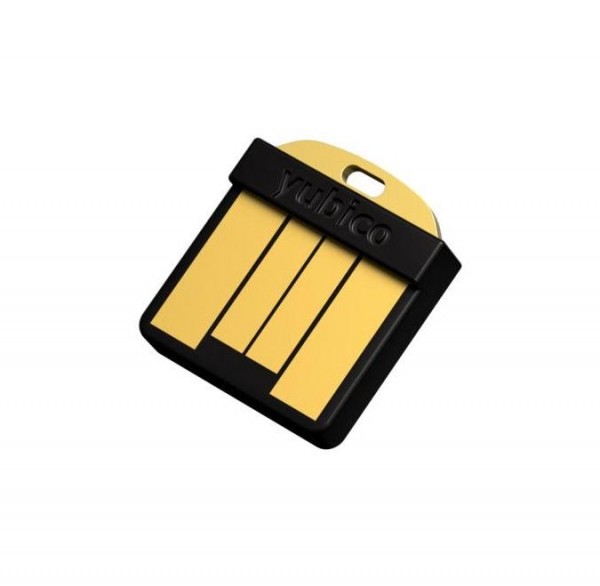
Der YubiKey 5 Nano FIPS ist ein ultrakompakter Sicherheitsschlüssel im Nano-Format mit USB-A-Schnittstelle aus der YubiKey 5 FIPS-Serie. Er wurde nach dem FIPS 140-2 Standard zertifiziert und richtet sich an Organisationen mit erhöhten Sicherheitsanforderungen sowie an Privatanwender, die eine dauerhaft einsatzbereite Authentifizierungslösung benötigen. Der Schlüssel eignet sich für den dauerhaften Einsatz in Geräten wie Notebooks oder Dockingstations. Er bietet hardwarebasierte Authentifizierung und schützt somit vor Phishing, da der private Schlüssel das Gerät nie verlässt. Durch Unterstützung von FIDO2/WebAuthn sind passwortlose Logins möglich. Dank der Nano-Bauform kann der Schlüssel unauffällig und dauerhaft im USB-Port verbleiben. Es sind keine Batterien oder beweglichen Teile vorhanden, was ihn robust und wartungsfrei macht.
Durch die Unterstützung zahlreicher Authentifizierungsstandards wie FIDO2, FIDO U2F, PIV Smartcard, OpenPGP, OATH TOTP/HOTP und Yubico OTP deckt das Gerät vielfältige Anwendungsszenarien ab. Diese reichen von der Anmeldung an privaten Diensten wie E-Mail, Cloud und sozialen Netzwerken bis hin zur Absicherung unternehmenskritischer Systeme in regulierten Branchen, insbesondere bei Behörden, im Finanzwesen oder in der Infrastrukturverwaltung.
Das Gerät ermöglicht passwortlose Authentifizierung über FIDO2/WebAuthn und verwendet ein sicheres Hardwareelement, um kryptografische Schlüssel zu speichern. Die Kompaktheit erlaubt eine nahtlose Integration in bestehende USB-A-Anschlüsse ohne störende Überstände. Der Schlüssel ist IP68-zertifiziert und somit wasser-, staubdicht und stoßresistent. Er erfüllt die Anforderungen für dauerhaften Betrieb unter anspruchsvollen Umweltbedingungen.
Für wen eignet sich dieses Modell
- Privat: Für Nutzer, die ihren Schlüssel dauerhaft im USB-A-Port belassen möchten (z. B. in Notebooks oder Dockingstations).
- Privat: Sicherer Zugang zu E-Mail, Cloud und Social Media ohne Passwort.
- Unternehmen: Für regulierte Branchen mit FIPS-Zertifizierungspflicht (z. B. Behörden, Finanzwesen, Infrastruktur).
- Unternehmen: Für privilegierte Accounts, Administratoren und sensible Zugänge mit hoher Absicherung.
Warum dieser Schlüssel Mehrwert bietet
- Phishing-Schutz durch hardwarebasierte Authentifizierung der private Schlüssel verlässt nie das Gerät.
- Passwortlose Logins über FIDO2/WebAuthn moderne Authentifizierung ohne Passwort.
- Dauerhaft im USB-A-Port nutzbar dank Nano-Formfaktor ideal für feste Geräteinstallationen.
- FIPS 140-2 Validierung erfüllt Anforderungen für Einsatz in hochsicheren und regulierten Umgebungen.
- Kein Akku, keine beweglichen Teile robust, wartungsfrei, sofort einsatzbereit.
Merkmale im Überblick
- USB-A-Schnittstelle
- Nano Formfaktor, kompakt, dauerhaft nutzbar
- Unterstützte Standards: FIDO2, FIDO U2F, PIV Smartcard, OpenPGP, OATH TOTP/HOTP, Yubico OTP
- IP68-zertifiziert, wasser- und staubdicht, stoßresistent
Kompatibilität
- Plattformen: Windows, macOS, Linux, Chrome OS (jeweils mit USB-A)
- Private Dienste: Google, Microsoft, Dropbox, Passwortmanager wie 1Password und Bitwarden
- Unternehmensdienste: Microsoft 365 / Azure AD, Google Workspace, Okta, Duo, Ping Identity, Salesforce, GitHub Enterprise
- Zur vollständigen Kompatibilitätsliste
Unterstützte Standards
- FIDO2 Passwortlose Anmeldung mit WebAuthn-Unterstützung
- FIDO U2F Zweiter Faktor auf Hardwarebasis
- PIV Smartcard Zertifikatsbasierte Authentifizierung
- OpenPGP Digitale Signaturen und Verschlüsselung
- OATH TOTP/HOTP Einmalpasswörter mit Yubico Authenticator
Technische Daten
- Schnittstelle: USB-A 2.0
- Formfaktor: Nano (12 mm × 13 mm × 3,1 mm)
- Leistungsaufnahme: <150 mW
- Datenübertragungsrate: 12 Mbps
- USB-Steckzyklen: über 100.000
- Schreib-/Löschzyklen: über 500.000
- Betriebstemperaturbereich: 0 °C bis 40 °C
- Lagerungstemperaturbereich: 20 °C bis 85 °C
- MTBF (mittlere Betriebsdauer): über 100 Jahre
- Bruchfestigkeit: bis zu 25 N·m
- Sicherer Elementchip: Ja
- Seriennummer vorhanden: Ja
- Hergestellt in: Schweden
- CPID: 8880001171
- ECCN: 5A992.C
- CAGE-Code: 6UUE2
- Hardware-Konformität: RoHS, UKCA, CE, EU DoC, UK DoC, FCC
- Firmware-Version: 5.4
- FIDO2 L2 zertifiziert: Ja
- FIDO CTAP 2.1: Ja
- FIDO U2F: Ja
- Passkey-Slots (FIDO2): 25
- Smartcard (PIV): Ja, mit 24 Zertifikatsplätzen
- OpenPGP: Ja
- OATH HOTP (Event-basiert): Ja
- Yubico OTP: Ja
- OATH TOTP (Zeitbasiert): Ja
- Challenge-Response: Ja
- Statisches Passwort: Ja
- OATH-Slots: 32
- OTP-Seeds: 2
- FIPS 140-2 zertifiziert: Ja
- AAL3-Standard: Ja
- Kryptographische Verfahren RSA: OpenPGP: 1024, 2048, 3072, 4096; PIV: 1024, 2045
- Kryptographische Verfahren ECC: PIV / OpenPGP: P-256, P-384
- Moderne Kurven: Ed25519 (OpenPGP Sign/Auth & FIDO2), X25519 (OpenPGP decipher only), secp256k1, brainpoolP256r1, brainpoolP384r1, brainpoolP512r1 (jeweils nur OpenPGP)
- Gerätetyp: HID Keyboard, CCID Smart Card, FIDO HID
Lieferumfang
- 1× YubiKey 5 Nano FIPS
Serien und Alternativen
- YubiKey 5 Serie für maximale Protokollabdeckung und Flexibilität
- YubiKey 5 FIPS Serie für regulierte Branchen mit FIPS-Anforderung
- YubiKey Bio Serie mit Fingerabdrucksensor für biometrische Authentifizierung
- YubiKey 5Ci FIPS mit USB-C und Lightning für mobile Apple-Geräte
Links
| Zolltarifnummer: | 85176200 |
|---|---|
| Brand: | YUBICO |
| Color: | black |
| Country of Origin: | USA |
| EAN: | 5060408461372 |
| Gross Weight (kg): | 0.050 |
| Manufacturer ID: | 5060408464250 |
| Ports: | USB 2.0 Plug / Typ A |
| Product ID: | 5060408461372 |
| Product Line: | YubiKey 5 FIPS Series |
YUBICO
Play it safe with Yubico
With the YubiKey, the Swedish IT company Yubico has developed a security mechanism that rightly enjoys a high level of trust among countless users worldwide. Thanks to the FIDO-based security key, elaborate security concepts are a thing of the past: Yubico's robust keys simply need to be connected to the USB or NFC interface - and after a short configuration, the risks of an unwanted account takeover are reduced to a minimum.
What is YubiKey?
A YubiKey is a small physical device used as a two-factor authentication (2FA) and security token. The YubiKey is designed to be simple, secure and provide an extra layer of protection for your online accounts and data. The YubiKey typically connects to a computer or mobile device via the USB port and can then be used to secure a variety of applications and services, including email, social media platforms, cloud storage and password managers.
How does YubiKey work?
The YubiKey has an integrated microcontroller that can perform a variety of cryptography functions. The YubiKey is designed to be connected to a computer as a USB peripheral. It uses a special technology called One-Time Password (OTP) to provide strong authentication. When the user inserts the YubiKey into a USB port and presses a key, the YubiKey automatically sends an OTP code to the computer. The OTP code is a random string of characters that can only be used once and has a limited validity period.
YubiKey 5: The smart solution for higher security
Are you looking for an uncomplicated security concept for your notebook, computer, tablet or smartphone? At Berrybase you will find high-quality solutions from the innovative product range of the security expert Yubico.
The YubiKey 5 series, which offers several advantages, has proven itself. The YubiKey 5 Nano, for example, offers secure 2-factor authentication as well as multifactor authentication and password-free authentication. Connection is via USB interface, which makes using the YubiKey 5 particularly easy and practical. The security key turns out to be an all-rounder, as the YubiKey supports several protocols with FIDO U2F, FIDO2, one-time password (OTP) and smartcard. It is also equipped with a seamless touch-to-sign function.
For your individual needs: These variations are offered by the 5-series
If you want the same high security standards for your device, but prefer an NFC connection, the Yubico 5 NFC is the best choice. The compact security key is suitable for various notebook models, but especially for smartphones. There are also other practical variants from the YubiKey 5 series: For example, the YubiKey 5C has a USB-C connector. The YubiKey 5Ci, on the other hand, can be used not only as a USB-A plug, but also still as an Apple 8 pin Lightning plug. Like all products from the series, these models also score with a practical keychain format. And every other version is also equipped with all the features that make the YubiKey 5 such reliable protection.
Optimal protection against unauthorized access - with the Yubico Security Key
To protect your mobile device from unauthorized access, we also recommend the FIDO 2 and U2F certified Yubico Security Key, which, like the YubiKey 5, comes in a practical format and reliably protects against the takeover of computer and service accounts. It uses hardware-based authentication in conjunction with private-key cryptography. The clever security key fits into the USB interface of your end device and is available with or without NFC function, depending on your preference.
KeePass and YubiKey: The perfect combination for secure password protection
Banking transactions, cell phone contracts, job applications: In today's age, much has shifted to the digital cosmos - which makes secure password protection all the more important. When it comes to passwords, experts not only advise using the most complex possible number-letter combinations that also contain special characters. Passwords should also be changed regularly. In addition, the same password should not be used for every online platform - an almost insurmountable task. This is where KeePass and YubiKey come into play: KeePass acts as a kind of password manager and can securely store passwords for all desired services, but also generate secure encodings. YubiKey, in turn, ensures that the database filled with passwords receives reliable protection so that unwanted account takeovers are nipped in the bud. With the intuitive YubiKey Personalization Tool, you can easily use YubiKey on your Windows 10, but also on devices running Mac OS or Linux operating systems, and tailor it to your individual needs.
In order to enjoy the benefits of the security key on your smartphone, you first need to download several applications. For example, if you want to use YubiKey on your Android device, you need to download the app YubiClip and also either Keepass2Android or KeePassDroid. The subsequent configuration is relatively quick, and the handling and operation of the apps is intuitive.
Yubico AB
Gävlegatan 22
SE 113 30 Stockholm
https://www.yubico.com
[email protected]
WEEE-Nummer: 32273307
Verantwortliche Person für die EU
Siehe Hersteller-Informationen
Sicherheitshinweise
- Bewahren Sie das Produkt außerhalb der Reichweite von Kindern auf.
- Vermeiden Sie den Kontakt mit Wasser, Feuchtigkeit oder extremen Temperaturen.
- Stellen Sie sicher, dass das Produkt vor unbefugtem Zugriff geschützt ist.
- Entsorgen Sie das Produkt gemäß den lokalen Vorschriften für Elektronik und sensible Daten.
- Löschen Sie alle gespeicherten Daten sicher, bevor Sie es entsorgen oder weitergeben.
- Verwenden Sie nur vom Hersteller empfohlene Zubehörteile und Software.
- Prüfen Sie das Produkt regelmäßig auf Beschädigungen oder Sicherheitslücken.
- Beachten Sie die Gebrauchsanweisungen und Sicherheitsrichtlinien im Handbuch.
Login